

Hello Divi enthusiasts, Ken from Divi Supreme!
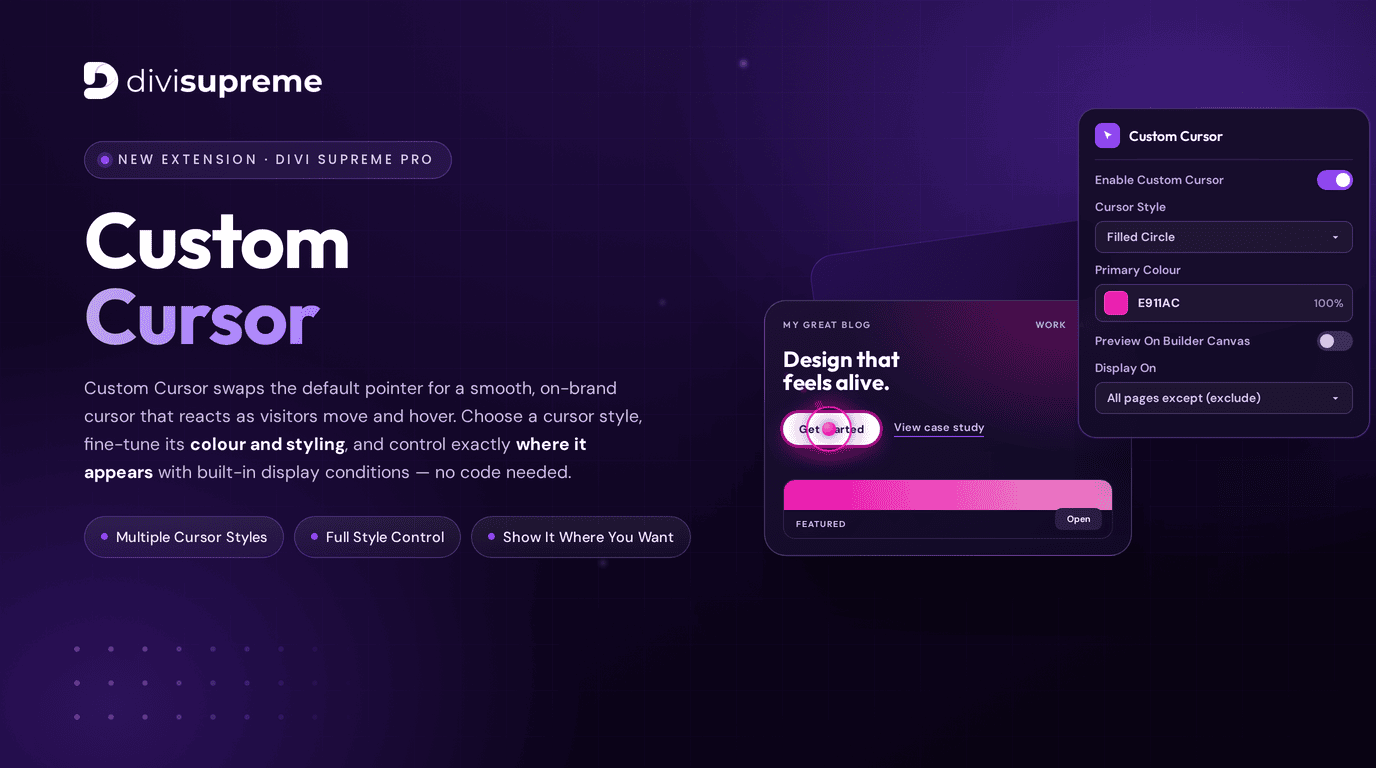
The wait is over. One of the most-requested design touches in our community has finally arrived — the brand new Custom Cursor Extension, now available in Divi Supreme Pro version 5.0.15.
A custom cursor is one of those small details that instantly makes a website feel premium and intentional. Custom Cursor swaps your site’s default pointer for a smooth, on-brand cursor that reacts as visitors move and hover — and you can style it, colour it, and control exactly where it appears, all from inside the Divi Builder. No code, no third-party scripts, no fuss.
Three things make it shine right out of the box:
- Multiple Cursor Styles — choose the cursor look that fits your brand.
- Full Style Control — fine-tune colour, opacity, and styling to match your design.
- Show It Where You Want — built-in display conditions let you target exactly the pages you choose.
What Is the Custom Cursor Extension?
Custom Cursor replaces the standard mouse pointer on your Divi website with a smooth, animated cursor of your own. As visitors move around the page and hover over links and buttons, the cursor responds with fluid motion and hover states — adding a layer of interactive polish that flat, default pointers simply can’t match.
It’s the kind of detail you’ve seen on award-winning agency sites and creative portfolios, and now it’s a simple toggle inside Divi. Whether you want a subtle on-brand accent or a bold, eye-catching interactive cursor, Custom Cursor gives you the control to make it your own — and the display conditions to show it only where it belongs.
A Breakdown of Every Custom Cursor Setting
We organised Custom Cursor into two clean tabs — Settings and Design — so you can configure behaviour and styling without ever feeling overwhelmed. Here’s a full walkthrough.
Settings Tab
This is where you switch the cursor on and decide where it appears.
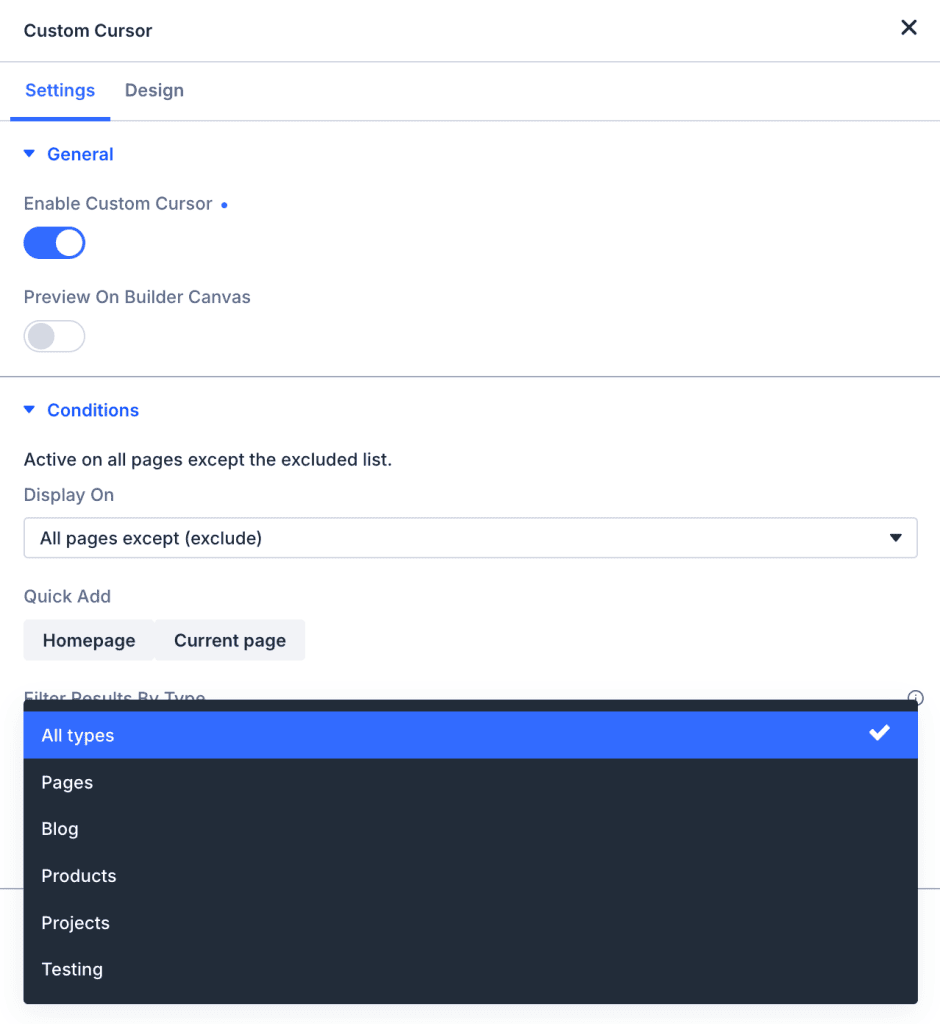
Enable Custom Cursor — the master switch. Toggle it on to activate your custom cursor across the site, then fine-tune everything else from there.
Preview On Builder Canvas — turn this on to see your custom cursor live while you’re editing inside the Divi Builder, so you can fine-tune the look without leaving your workspace.
Display On (Display Conditions) — this is where Custom Cursor really flexes. Decide exactly where the cursor appears using flexible conditions such as All pages except (exclude), so you can run it site-wide while excluding the pages you’d rather leave untouched.
Quick Add — handy shortcuts like Homepage and Current page let you add pages to your list in a single click, no manual hunting required.
Filter Results By Type — narrow your page list by content type — Pages, Blog, Products, Projects, and more — making it effortless to target exactly the right content, even on large sites.
Design Tab
This is where you make the cursor your own.
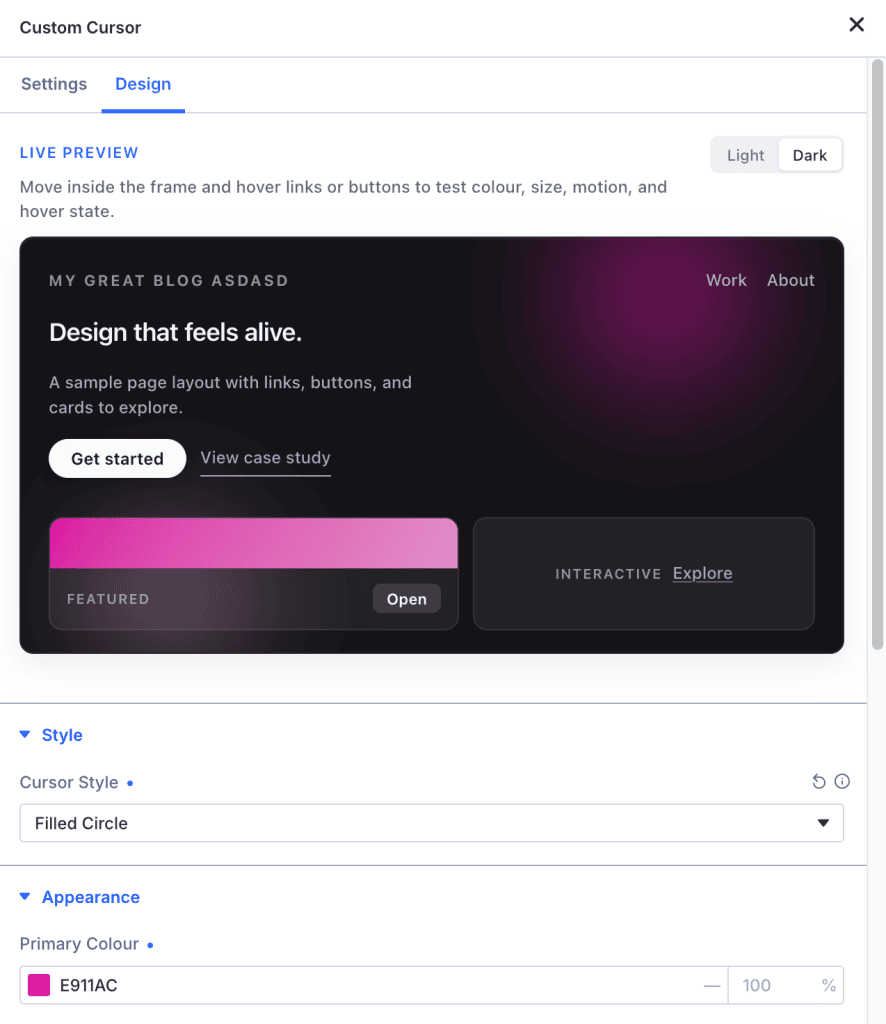
Live Preview — test your cursor in a built-in sample frame before you publish. Move inside the frame and hover the links and buttons to check colour, size, motion, and hover state in real time. There’s even a Light / Dark toggle so you can confirm your cursor looks great on any background.
Cursor Style — choose your cursor’s look from a selection of styles, such as the clean Filled Circle. This is what gives your cursor its core personality.
Primary Colour (Appearance) — set your cursor’s colour to match your brand, with full opacity control (for example, a vivid #E911AC at 100%). Dial it in until it’s perfectly on-brand.
Show It Exactly Where You Want
One of the things we’re proudest of with Custom Cursor is how much control you have over where it appears. Thanks to the built-in display conditions, you’re never stuck with an all-or-nothing effect.
Want the custom cursor everywhere except your checkout and landing pages? Done. Only on your blog and portfolio? Easy. With include/exclude logic, quick-add shortcuts, and content-type filtering, you can fine-tune the experience down to the exact pages that matter — perfect for keeping things polished and intentional across your entire site.
Reacts to Movement and Hover
Custom Cursor isn’t just a static replacement pointer — it’s interactive. As visitors move across the page, the cursor follows with smooth motion, and when they hover over links and buttons, it responds with dedicated hover states. That responsiveness is exactly what makes a site feel alive and engaging, and it’s all handled for you automatically.
Where to Find It
Custom Cursor is available right now in Divi Supreme Pro 5.0.15. Simply update your plugin through your WordPress dashboard, head to the Custom Cursor settings, switch it on, and start styling.
If you’re already running Divi Supreme Pro, the update is waiting for you — no extra steps required.
Ready to Make Your Site Feel Alive?
A custom cursor is a small change that makes a big impression. It’s fast, fully customisable, easy to target exactly where you want it, and it adds that premium, interactive feel that visitors remember.
Ready to Upgrade?
Divi Supreme Pro 5.0.15 is available now for all active license holders. Simply update through your WordPress dashboard.
Stay tuned for more updates, and please don’t hesitate to reach out if you have any questions or need assistance with anything related to Divi Supreme or Divi 5.
Best Regards,
Ken and the Divi Supreme Team
If you have an active or secured license for Divi Supreme plugins, rest assured it remains compatible with Divi 5. Due to ongoing development for Divi 5 compatibility, we will be adjusting our pricing.
How to access all Divi Supreme Modules
To access Divi Supreme Modules, you need to purchase the Pro version of our plugin. The Professional plan come with a 30% discount on renewals while we also offer you premium support and free updates during the licensing period.
Our goal is to assist you to create beautiful and effective business websites without impacting negatively on user experience.
So, give Divi Supreme Pro a try today, and don’t forget to share your experience with the Divi Supreme Plugins in the comments section below.
Or try out the Divi Supreme Lite
Divi Supreme Lite Offers 20+ Modules and 3 Beautiful Extensions and using them you can easily extend your site’s functionality.
0 Comments