

Hello Divi enthusiasts, Ken from Divi Supreme!
You have six cards on a page and the spacing is slightly off. You open the first one, fix it, close it, open the second, and by the fourth you are no longer sure which values you already changed. Nothing about the job is hard. It is just the same small edit, repeated until you lose patience.
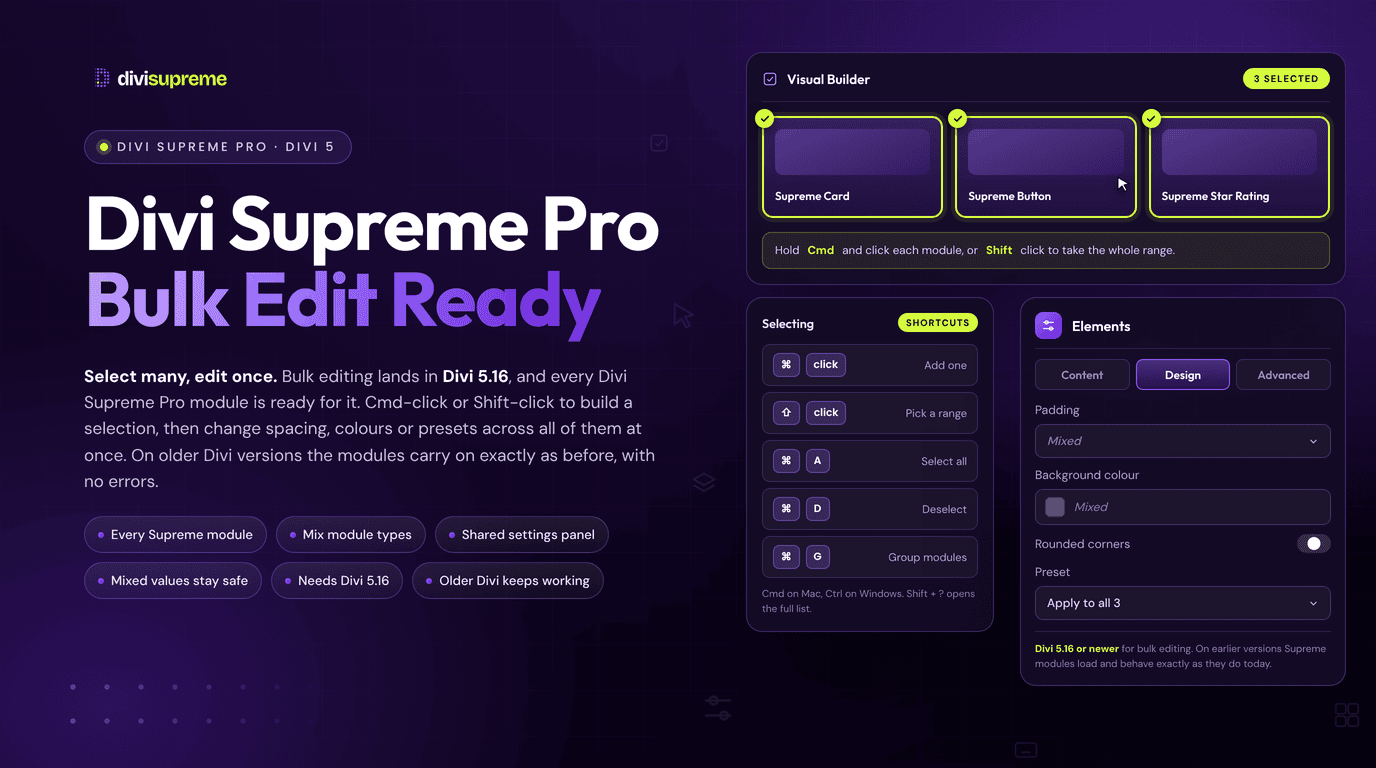
Divi 5.16 finally takes that repetition away with Multi-Select and Bulk Editing, and Divi Supreme Pro modules now support it. Select several of our modules, open one settings panel, and the change lands on all of them. Now available in Divi Supreme Pro 5.0.88.
What Divi 5.16 Added
Elegant Themes announced Multi-Select and Bulk Editing for Divi 5 in October 2026, and it is listed under Divi 5.16 in their update status. You hold Cmd (Mac) or Ctrl (Windows) and click to pick elements one at a time, or hold Shift and click to pick a range. Then you edit the whole selection from a single settings panel.
It reaches further than the panel. The Layers panel, the right-click menu, the Inspector and the Divi AI Agent all understand a multi-element selection too. You can copy, duplicate, move, lock or reset a group of elements together, which is a real change to how a long page feels to work on.

Why Third-Party Modules Need to Opt In
Here is the part that is easy to miss. Bulk editing can only sync a control when every selected module offers that control in the same way. Divi’s own settings do this out of the box. The extra settings a module adds on top are a different story, because each one has to be registered with the new multi-edit system before it can join the shared panel.
If a module skips that step, you get a half-finished experience. The standard Divi controls move together and the module’s own controls sit there, stubbornly one module at a time. That is the kind of gap that makes you stop trusting a selection.
So we did the registration for you. Every custom control in the Content, Design and Advanced tabs of our modules is registered for bulk editing, which means the controls you actually bought Divi Supreme Pro for are the ones that now change together.
What You Can Now Change in One Go
Here is where it saves real time on a live build.
- Card grids can be restyled in one pass, so a new background, title font or spacing value lands on every selected card at once.
- Repeated modules such as testimonials or tables can share a setting without you opening each one to copy it across.
- Mixed values are flagged by Divi when the selected modules disagree, so you can see the difference before you overwrite it.
- Presets can be assigned across the selection, so a whole section of Divi Supreme modules can pick up the same look together.
Our extensions join in as well. The controls for Tooltip, Page Tour, Popup, Copy to Clipboard, Image Parallax and Line Hover Animation are registered too, so you can set the same effect on a group of modules in a single step.

What Happens on Older Versions of Divi
Bulk editing needs Divi 5.16 or newer. If a site is still on 5.15 or earlier, nothing breaks. The Divi Supreme Pro settings render exactly as they did before and you edit one module at a time, which is how it has always worked. Update Divi when you are ready and the bulk editing appears on its own.

How to Use It
There is nothing to switch on in Divi Supreme Pro. Update both plugins and it works.
- Update Divi to 5.16 or newer, and update to the latest Divi Supreme Pro.
- Open a page in the Visual Builder.
- Hold Cmd (Mac) or Ctrl (Windows) and click the modules you want, or hold Shift and click to select a range.
- Open the settings panel and change any Content, Design or Advanced control. The change applies to every selected module.
The docs cover every module and extension in detail, starting from the Divi 5 modules index.
Who It Helps
- Freelancers and agencies can restyle a client’s repeated components in minutes instead of working through them one by one.
- Anyone with long pages gets a way to tidy up a section without hunting for the module they forgot to change.
- Teams using presets can apply a shared design to a whole group of modules and keep the page consistent.
Ready to Try It?
Update to the latest Divi Supreme Pro, select a few modules and change something. The first time a whole row updates at once, the old routine of opening each module in turn will feel strange. Version details are always on the changelog.
These are just a few of the many improvements. Your feedback is making Divi Supreme Pro for Divi 5 stronger every day. If you spot something, report it here!
Stay tuned for more updates, and please don’t hesitate to reach out if you have any questions or need assistance with anything related to Divi Supreme or Divi 5.
Best Regards,
Ken and the Divi Supreme Team
0 Comments