

Hello Divi enthusiasts, Ken from Divi Supreme!
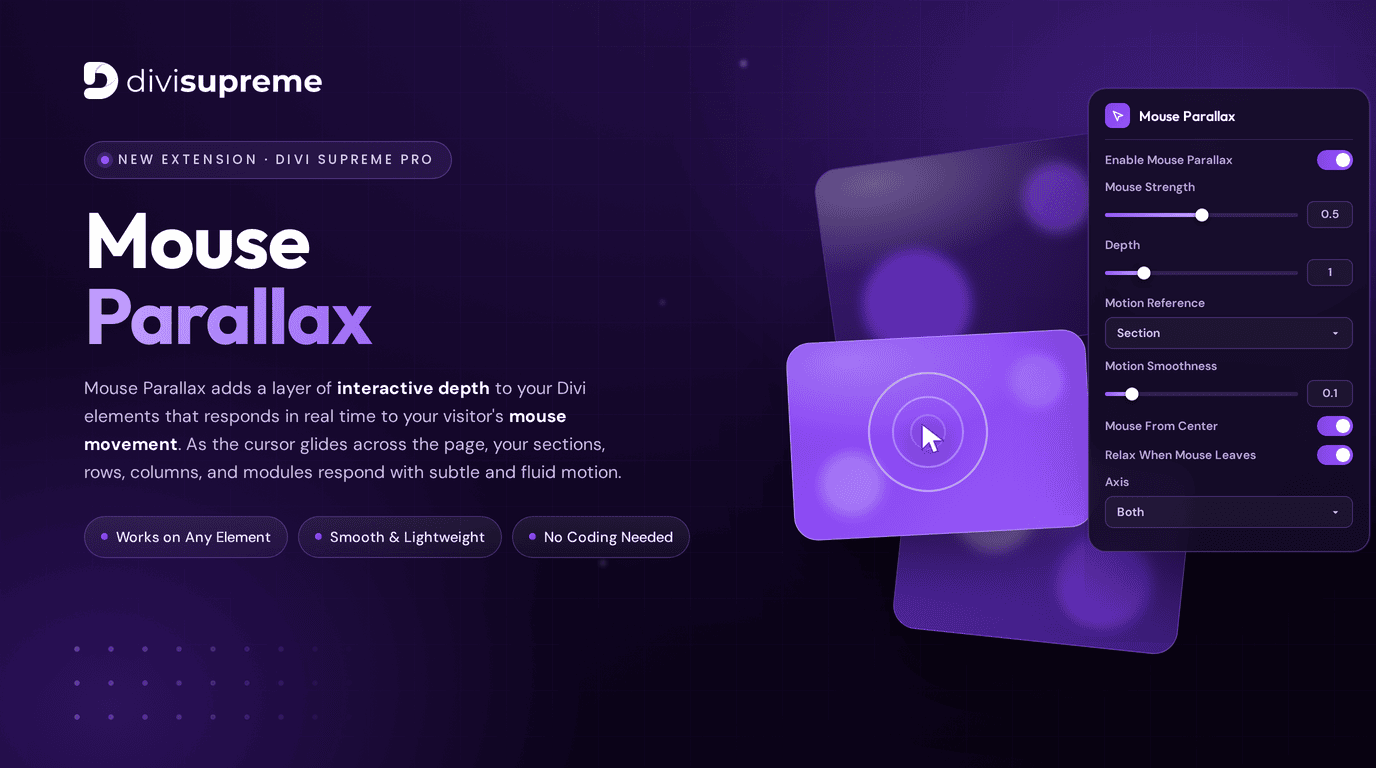
It’s finally here. One of the most requested effects in our community has officially landed — the brand new Mouse Parallax Extension, now available in Divi Supreme Pro version 5.0.11.
If you’ve ever admired those high-end agency websites where the hero graphics seem to float, gently shifting and reacting as you move your cursor across the screen — that’s exactly the kind of magic we’re putting directly into your Divi Builder. No code. No third-party scripts to wrestle with. Just a clean toggle and a handful of intuitive controls.
This is one of those features people have been asking us for again and again, and we couldn’t be more excited to finally hand it over to you.
What Is the Mouse Parallax Extension?
Mouse Parallax adds a layer of interactive depth to your Divi elements that responds in real time to your visitor’s mouse movement. As the cursor glides across the page, your sections, images, columns, and modules respond with subtle, fluid motion — creating a sense of three-dimensional space that flat web pages simply can’t achieve.
It’s the difference between a static page and a page that feels alive. Visitors notice it instantly, and it’s the kind of premium touch that makes a website feel polished, modern, and memorable.
The best part? Every bit of that motion is driven entirely by the mouse, so it feels natural and effortless — your design reacts to your visitors, not the other way around.
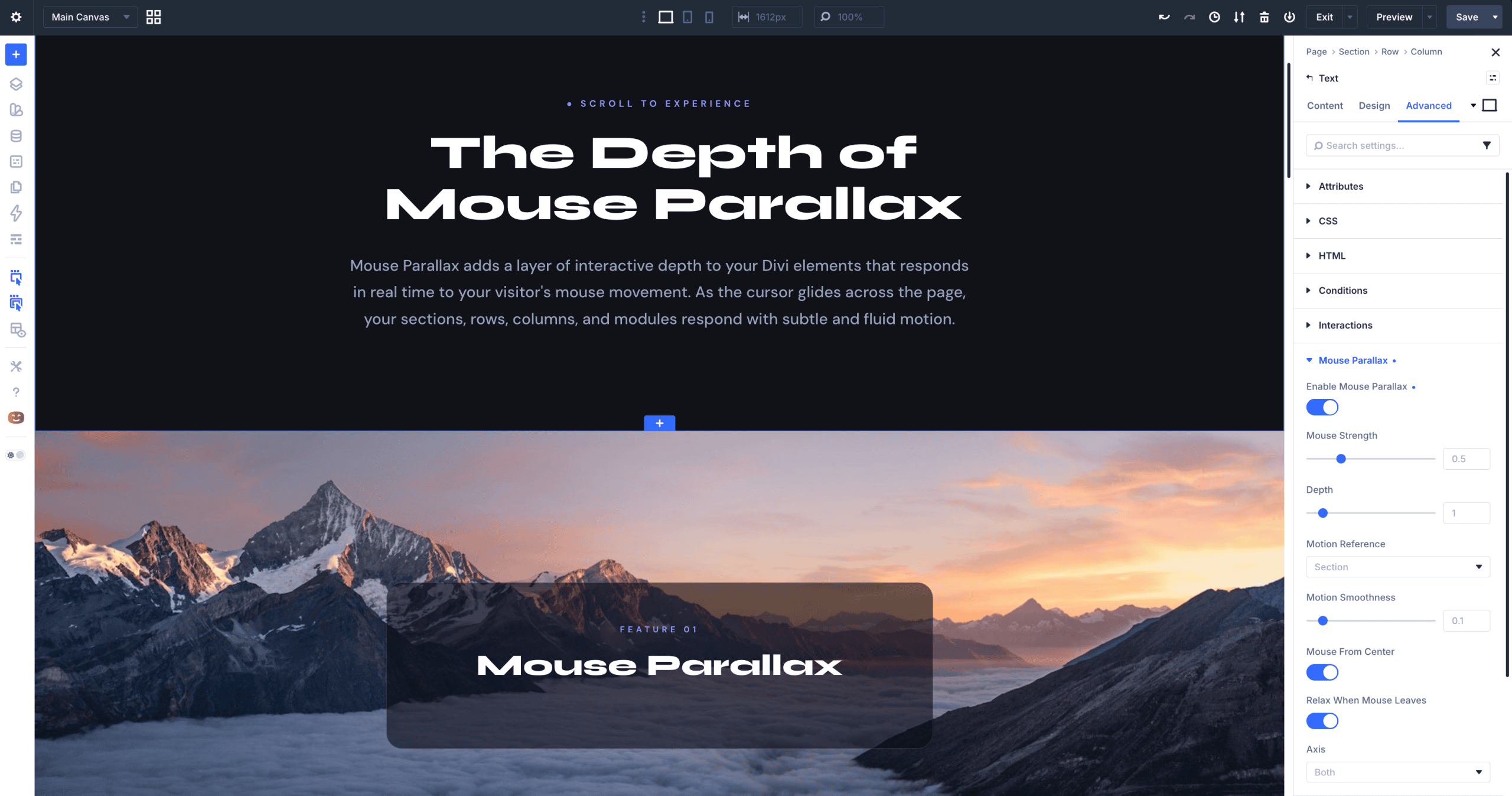
A Breakdown of Every Mouse Parallax Setting
We designed Mouse Parallax to be powerful for advanced users while staying friendly for anyone who just wants to flip it on and watch the magic happen. Here’s a full walkthrough of every option you’ll find in the settings panel.
Enable Mouse Parallax
The master switch. Toggle this on for any section, row, column, or module you want to bring to life. Everything else below only takes effect once this is enabled.
Mouse Strength
Controls **how far** your element moves in response to the cursor. A lower value keeps the motion subtle and refined, while a higher value produces bigger, more dramatic shifts. The default of **0.5** is a beautifully balanced starting point for most designs — gentle enough to feel elegant, noticeable enough to delight.
Depth
This is what sells the three-dimensional illusion. Depth determines how pronounced the layering effect feels — think of it as how “deep” into the screen your element appears to sit. Pair different depth values across stacked elements to create a genuine sense of foreground and background, where closer layers move more than distant ones.
Motion Reference
Defines what the movement is calculated against. Set it to Section (or your preferred reference point) and the parallax motion is measured relative to that container, giving you precise control over how and where the effect is anchored on the page.
Motion Smoothness
This controls the fluidity of the movement — how smoothly your elements glide toward the cursor rather than snapping to it. A lower value like the default 0.1 creates that silky, slightly delayed easing that makes the effect feel premium and organic. Increase it for snappier, more immediate response.
Mouse From Center
When enabled, the motion is calculated from the center point of the reference area, so elements drift outward symmetrically as the cursor moves away from the middle. It’s a small toggle that makes a big difference in how balanced and intentional the effect feels.
Relax When Mouse Leaves
A thoughtful detail we knew you’d appreciate. With this turned on, your elements **gracefully return to their resting position** the moment the cursor leaves the area — no awkward frozen tilt, no abrupt jumps. Everything eases back home, exactly as it should.
Axis
Choose which direction the motion travels: Both for full horizontal and vertical movement, or lock it to a single axis when you want a more controlled, directional effect. This gives you the flexibility to fine-tune the motion to suit any layout.
It Plays Beautifully With Divi’s Scroll Effects
Here’s where things get really exciting. Mouse Parallax doesn’t just work on its own — it works hand in hand with Divi’s built-in scroll effects.
Layer a Mouse Parallax element on top of Divi’s scroll transforms — fade, scale, rotate, vertical and horizontal motion — and you get a rich, multi-dimensional experience: elements that respond to scrolling and to mouse movement at the same time. It’s the kind of layered interactivity that used to require a developer and a pile of custom JavaScript. Now it’s a few clicks inside the Divi Builder.
This combination opens up an entirely new world of creative possibilities for hero sections, feature blocks, image galleries, and landing pages that genuinely stand out.
Where to Find It
Mouse Parallax is available right now in Divi Supreme Pro 5.0.11. Simply update your plugin through your WordPress dashboard, open any section, row, column, or module, and look for the Mouse Parallax options in the settings panel -> Advanced Tab.
If you’re already running Divi Supreme Pro, the update is waiting for you — no extra steps required.
Ready to Add Some Depth
We genuinely believe Mouse Parallax is going to become one of those effects you reach for on every project. It’s fast, it’s beautiful, it’s accessible to everyone, and it adds that premium, interactive feel that visitors remember.
Update to Divi Supreme Pro 5.0.11 today, flip on Mouse Parallax, and watch your designs come to life.
Continuous Improvements & Bug Fixes Along the Way
Building for Divi 5 wasn’t just about shipping new things. We continuously improved the editing experience, refined module behavior, and fixed issues as they were discovered by our community.
Check out out changelog
What’s Coming Next
Divi Supreme Pro 5.0 is just the beginning. Here’s a glimpse of what’s on the roadmap:
- More new Divi 5 native modules
-
Continued accessibility improvements across all modules
- Continued performance and compatibility improvements
We’re committed to shipping updates faster than ever, and with beta updates now supported, you’ll always be among the first to get them.
Ready to Upgrade?
Divi Supreme Pro 5.0 is available now for all active license holders. Simply update through your WordPress dashboard.
These are just a few of the many improvements, your feedback is making Divi Supreme Pro for Divi 5 stronger every day. If you spot something, report it here!
Stay tuned for more updates, and please don’t hesitate to reach out if you have any questions or need assistance with anything related to Divi Supreme or Divi 5.
Best Regards,
Ken and the Divi Supreme Team
If you have an active or secured license for Divi Supreme plugins, rest assured it remains compatible with Divi 5. Due to ongoing development for Divi 5 compatibility, we will be adjusting our pricing.
How to access all Divi Supreme Modules
To access Divi Supreme Modules, you need to purchase the Pro version of our plugin. The Professional plan come with a 30% discount on renewals while we also offer you premium support and free updates during the licensing period.
Our goal is to assist you to create beautiful and effective business websites without impacting negatively on user experience.
So, give Divi Supreme Pro a try today, and don’t forget to share your experience with the Divi Supreme Plugins in the comments section below.
Or try out the Divi Supreme Lite
Divi Supreme Lite Offers 20+ Modules and 3 Beautiful Extensions and using them you can easily extend your site’s functionality.
0 Comments