Hello Divi enthusiasts, Ken from Divi Supreme!
You open a support ticket, and a few messages in comes the question you knew was coming. Can we take a look inside your site? So you create an administrator account, paste the username and password into a reply, and press send. It works, the problem gets fixed, and then everyone moves on. That password now sits in an inbox, a chat history and probably a ticket system, attached to an account that can still do anything on your site.
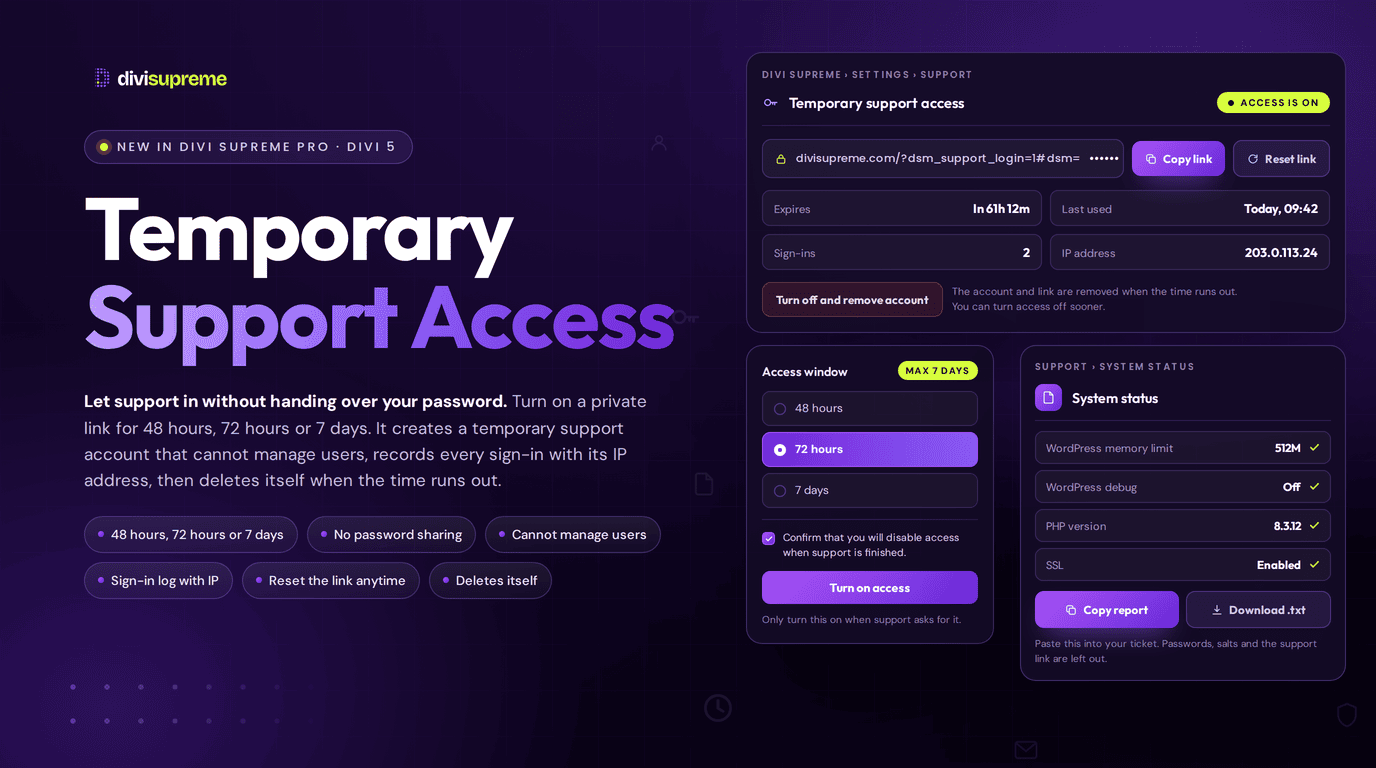
Our new Temporary Support Access gives support a way in that does not depend on any of that. You switch on a private link for a window you choose, support uses it, and the account behind it deletes itself when the time runs out. Now available in Divi Supreme Pro 5.0.84.

What Is Temporary Support Access?
It is a panel in your Divi Supreme settings that creates a short-lived support login on demand. Until you turn it on, there is no support account on your site at all. Nothing is waiting in the background.
When you do turn it on, the plugin creates a dedicated account and gives you one private link. Whoever opens that link is signed in as that account, with no username and no password to type or leak. When the window closes, or when you turn access off yourself, the account is deleted and the link stops working.
You choose how long it lasts. The options are 48 hours, 72 hours or 7 days, and seven days is the ceiling. The panel also asks you to tick a box confirming that you will disable access when support is finished, which is a small nudge, but a useful one.
Support Gets Enough Access to Fix Things, and Not Enough to Hurt You
An administrator account is far more than a support conversation needs. So the support account is built from the administrator role and then has the dangerous parts taken away.
It cannot create, edit, delete or promote users, and it cannot even list them. It cannot switch or edit themes, change your site-wide WordPress options, export your content, or update WordPress core. It cannot delete plugins. It cannot change Divi Supreme’s own settings either, so it cannot extend its own access or switch the protections off.
What it can do is the work a support session actually involves. It can open the builder, edit pages, and install, upload and update plugins, which covers most conflict hunting. Those limits are enforced as hard rules every time WordPress checks a permission, rather than only being set once when the account is created.
Password sign-in is shut off for the account too. Even if someone guessed its username, a password attempt is simply rejected, and the account has no real password to guess in the first place.
A Link That Is Hard to Leak and Easy to Cancel
The secret in the link sits after the # in the address. Browsers never send that part to a web server, so it does not end up in your server’s access logs. On your site it is stored only as encrypted text plus a hash, never as plain text.
The link also refuses to be brute-forced. After eight failed attempts from one IP address within fifteen minutes, further attempts are blocked, and a bad or expired link always shows the same plain message, so nobody learns whether a link ever existed.
If the link ends up somewhere you did not intend, press Reset link. The old one stops working at once and a new one takes its place, without ending the support window. If you would rather end everything now, Turn off and remove account deletes the account straight away.
Deactivating or uninstalling Divi Supreme Pro removes any support account as well, so it cannot be left behind by accident.

You See Every Sign-In
The panel keeps a live record while access is on. It shows when access expires, when the link was last used, how many sign-ins there have been, and the IP address of the most recent one. If the numbers do not match what you expect from a support conversation, you will know straight away.
Your site’s admin email address gets a message when access is switched on, reset, switched off or expired, and again every time the link is used to sign in. Those messages include the time and the IP address, and they never contain the link itself.
Once someone is signed in, a notice at the top of the screen tells them the account expires at a set time, so nobody on either side is guessing about the window.
Choose How the Link Reaches Support
You decide how the link travels. You can have it shown on the page, so you copy it into your support reply yourself. That suits sites with no working mail server, and nothing is emailed anywhere.
Or you can have it emailed to your site’s admin address, so you forward it to support from your own inbox. Either way the link is only ever shared by you, to the person you choose.
Send Support a System Report Without Writing It Out
Half of every support conversation is the same questions. Which PHP version? How much memory? Is debug on? Which theme and plugins are active?
Next to the access panel there is a System status report that collects the answers for you. It covers WordPress, your server, your theme and Divi version, your Divi Supreme version and your active plugins. Press Copy report or Download .txt and paste it into your ticket.
The report leaves out passwords, security salts, database credentials and the support link, and it shows your licence key masked, so it is safe to paste into a ticket.

How to Turn It On
There is no extension to enable first. Temporary Support Access is built into Divi Supreme Pro and ready to use, and it stays off until you switch on access for a ticket.
- In your WordPress dashboard, go to Divi Supreme → Settings and open the Support tab.
- Choose an access window of 48 hours, 72 hours or 7 days.
- Choose whether to show the link on the page or have it emailed to your admin address.
- Tick the box confirming you will disable access when support is finished, then press Turn on access.
- Copy the link into your support reply. When the ticket is done, press Turn off and remove account.
Your site needs to run on HTTPS and have the OpenSSL PHP extension, which nearly every modern host does. If either is missing, the panel tells you why it cannot switch on. The docs cover the Settings screen in full, including the Divi 5 plugin settings.
Who It Helps
- Freelancers and agencies can hand support access for one client site without putting a client’s real login into an email thread.
- Site owners get a way to let someone look inside without learning what an administrator role is.
- Teams with a security policy get an audit trail of who signed in and from where, plus access that cannot outlive the ticket.
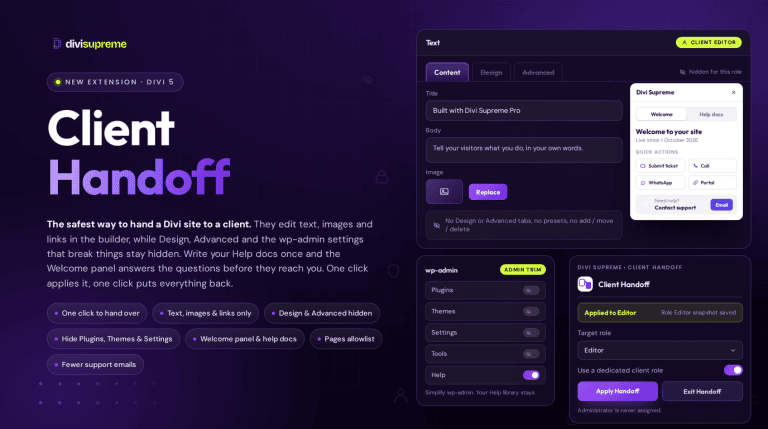
It also pairs well with our Client Handoff extension. Handoff decides what your clients can touch in the builder, and Temporary Support Access decides how outsiders get in when something breaks. Between them, the logins on a site stop being a pile of shared passwords. If you are guarding the front of the site as well, Password Protection covers who can see it before launch.
Ready to Try It?
Update to the latest Divi Supreme Pro and open the Support tab. Next time a ticket needs a second pair of eyes on your site, you can say yes in a minute and know the door closes behind them. Version details are always on the changelog.
These are just a few of the many improvements. Your feedback is making Divi Supreme Pro for Divi 5 stronger every day. If you spot something, report it here!
Stay tuned for more updates, and please don’t hesitate to reach out if you have any questions or need assistance with anything related to Divi Supreme or Divi 5.
Best Regards,
Ken and the Divi Supreme Team