Hello Divi enthusiasts, Ken from Divi Supreme!
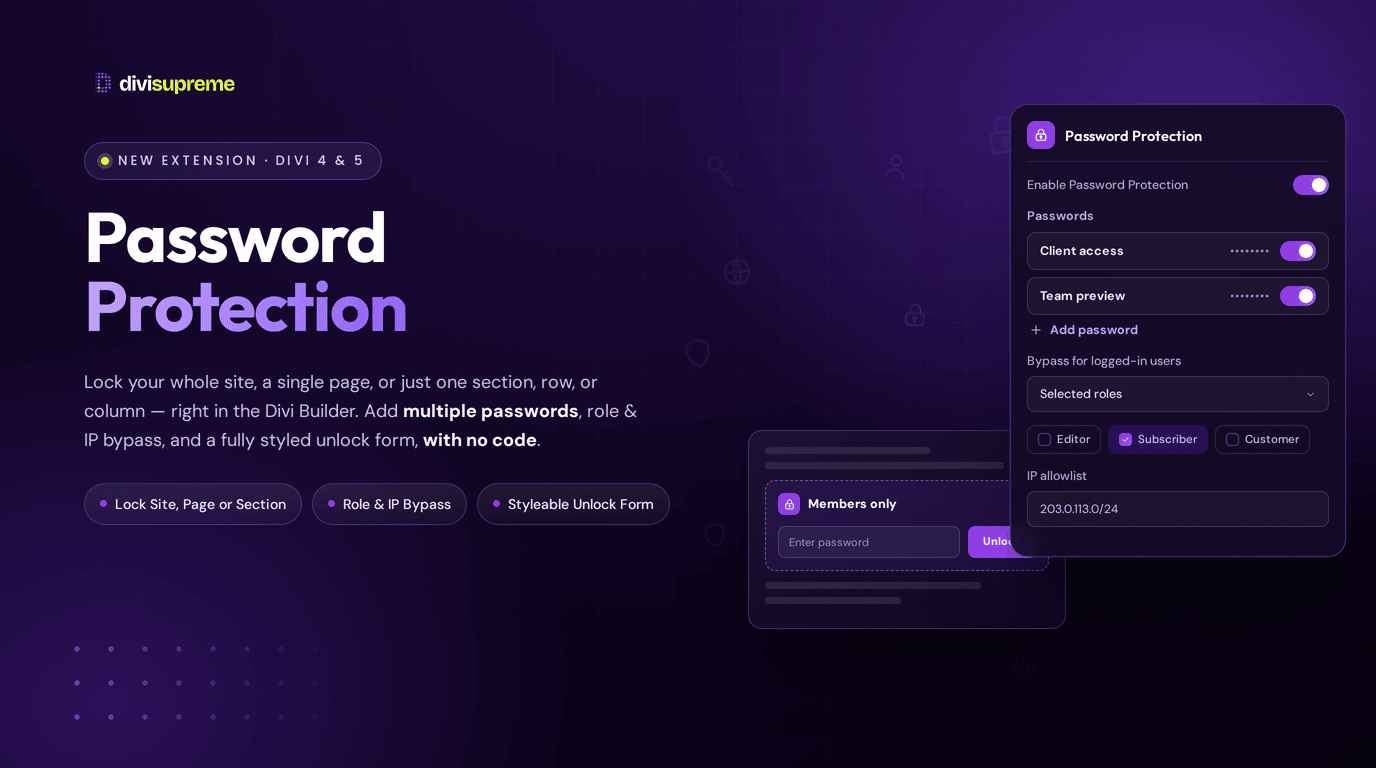
WordPress can slap a password on a single page, and that's about the end of it. Our new Password Protection Extension goes so much further that "password protection" almost undersells it. Lock your entire site, lock one page, or lock just a single section, row, or column — with multiple passwords, a custom-designed unlock page, IP allowlists, and role-based access, all with zero code.
Now available in Divi Supreme Pro (latest version — see note below), this is one of the most flexible ways to control who sees what on a Divi site. Let me walk you through it.
Three Levels of Protection (This Is the Big One)
Most tools give you one blunt option. This gives you three, and you can mix them however you like: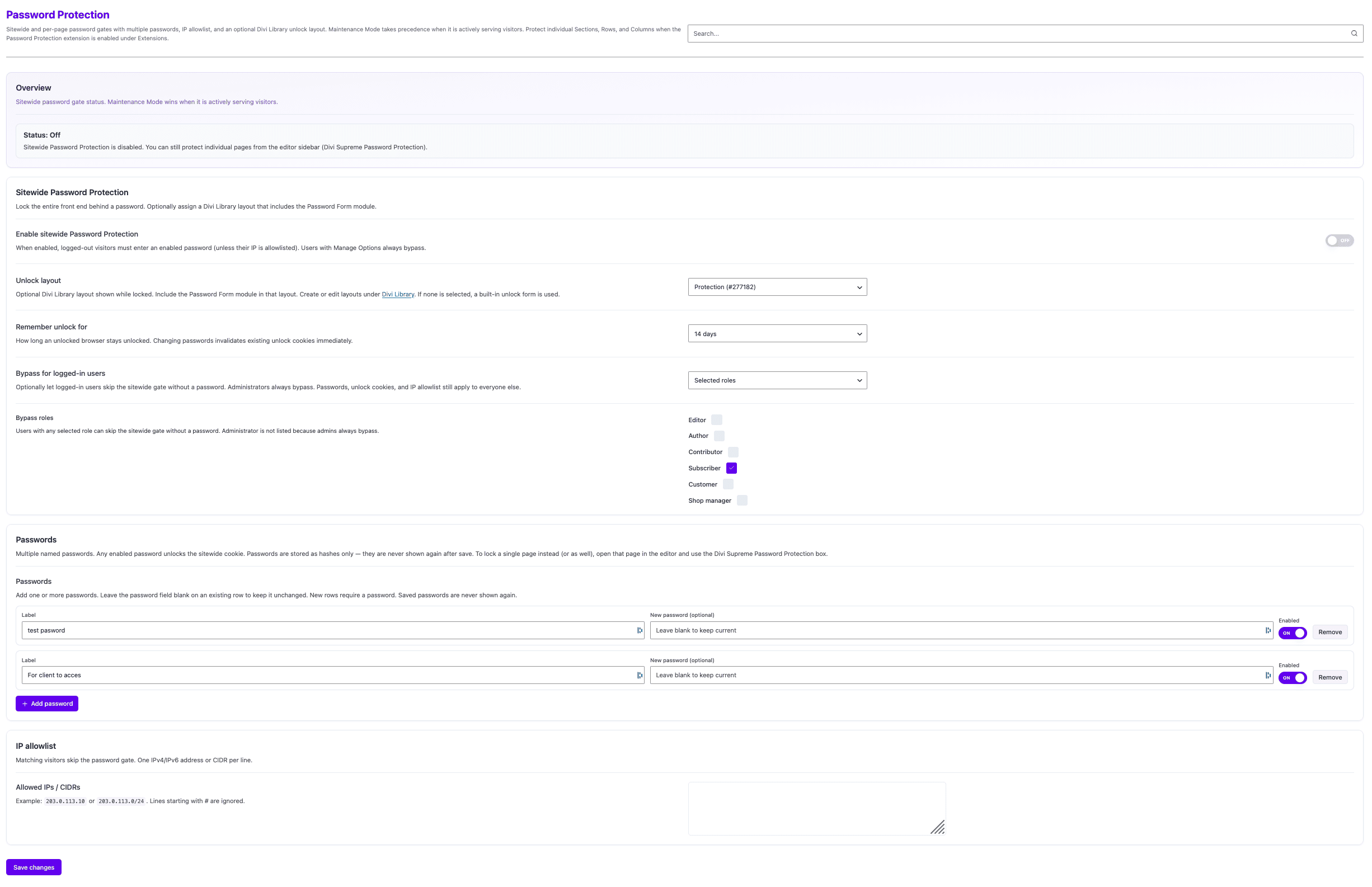
- Sitewide. Lock your entire front end behind a password gate. Perfect for staging sites, private client builds, or an internal site that shouldn't be public at all.
- Per-page. Lock a single page while the rest of your site stays open. Great for a members-only page, a proposal, or a private resource — and it runs independently, so unlocking the sitewide gate doesn't automatically unlock a protected page.
- Per-section, row, or column. This is the one that sets it apart. Right inside the Divi Builder, you can password-protect just part of a page — a premium section, a pricing table, a downloads row — while everything around it stays visible.
That layered control means you're never forced into all-or-nothing. You protect exactly as much as you need, exactly where you need it.
Design Your Own Unlock Page
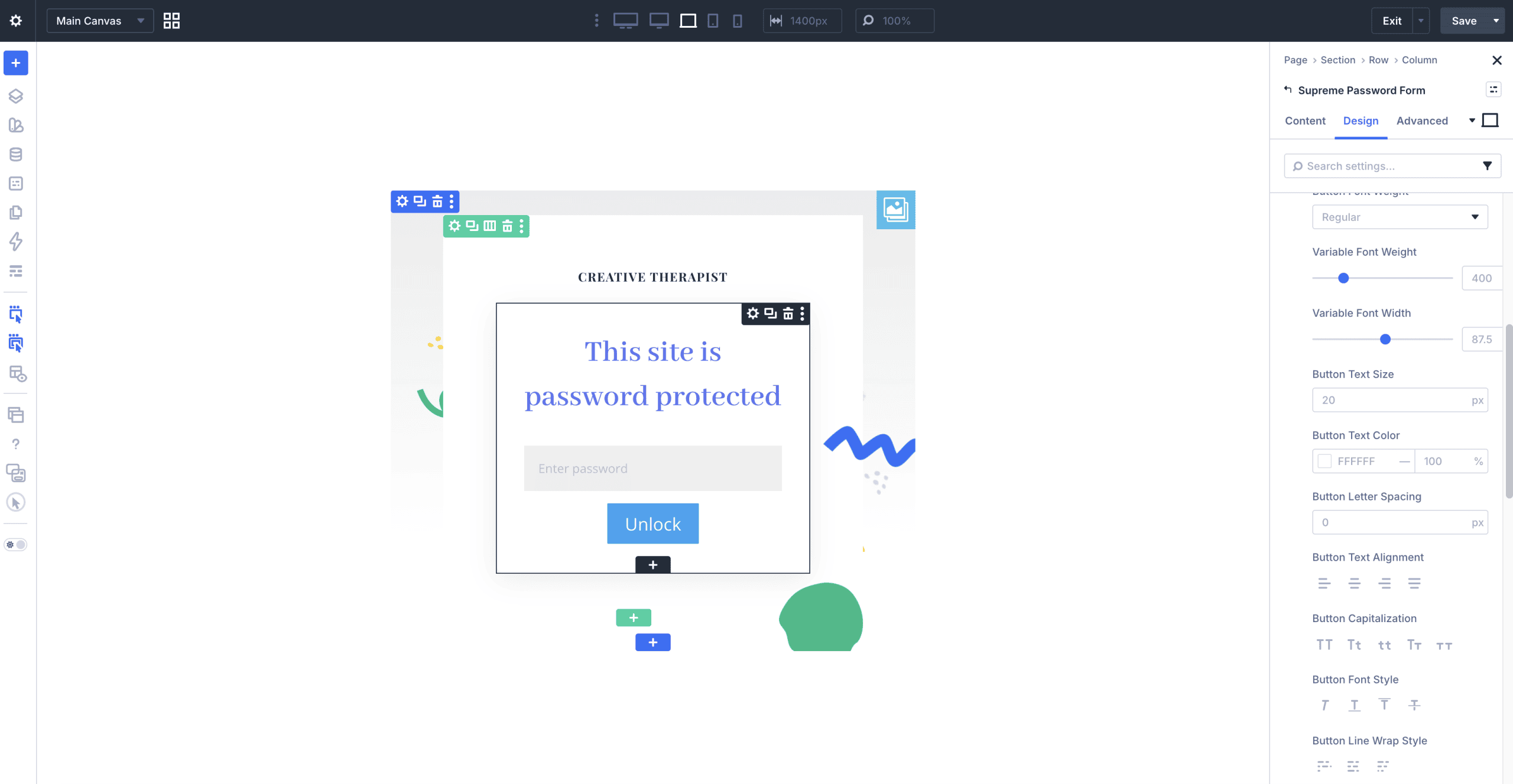
Here's a touch I love: your unlock screen doesn't have to be a plain grey box. For sitewide protection you can assign a Divi Library layout as the unlock page — design it yourself with the full builder, drop in the Password Form module, and your locked site greets visitors with something genuinely on-brand. Prefer to keep it simple? Leave it unset and a clean built-in form is used automatically.
Multiple Passwords, Handled Securely
You're not limited to a single shared password. Add as many named passwords as you like — each with its own label and an on/off switch — and any enabled password unlocks the gate. Give different clients or groups their own code, then disable one without disturbing the others.
And it's done properly: passwords are stored as hashes only, never shown again after you save. Change a password and existing unlock sessions are invalidated immediately, so access stays firmly under your control.
Smart Access Control
This is where it goes from "handy" to "seriously capable":
- Bypass for logged-in users. Choose who skips the gate without a password — nobody, any logged-in user, or only selected roles (Editor, Author, Contributor, Subscriber, Customer, Shop manager, and so on). Administrators always bypass, so you'll never lock yourself out.
- IP allowlist. Add trusted IPv4/IPv6 addresses or entire CIDR ranges, and matching visitors skip the password entirely. Ideal for letting your office or a client's network straight through while everyone else has to knock.
- Remember unlock duration. Decide how long an unlocked browser stays unlocked — a day, a couple of weeks, whatever suits — so returning visitors aren't asked over and over.
Style It to Match Your Site
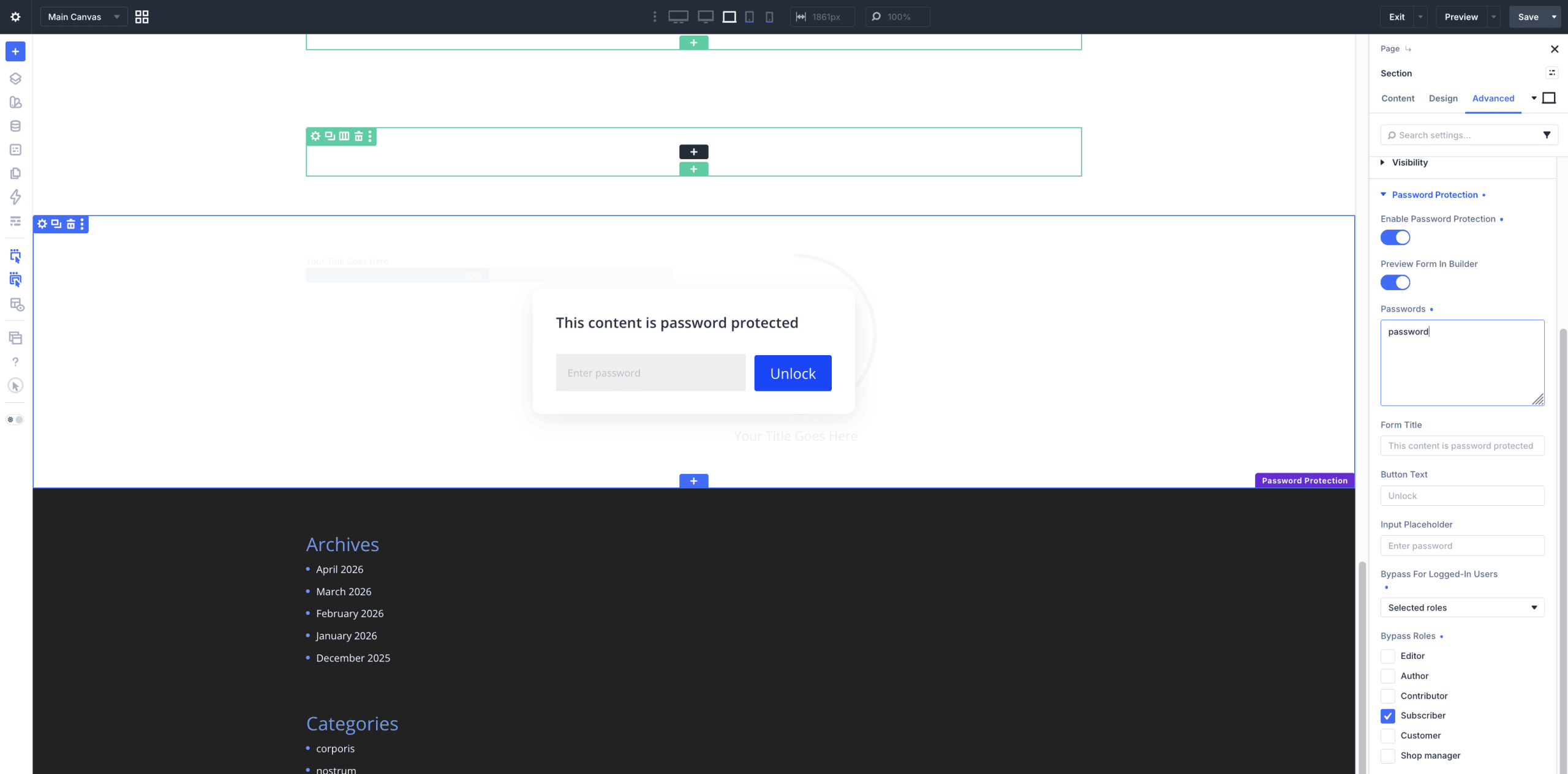
When you protect a section, row, or column, the unlock form isn't some rigid widget — it's fully styleable with Divi's normal design controls. Set the form layout and button alignment, then fine-tune the background, spacing, border, and box shadow for the form, the form title, the password input field, and the button independently. You can also customise the form title, button text, and input placeholder text, and preview the whole thing live in the builder as you work.
In other words, your password form can look like it belongs on your site, because you designed it.
Real Use Cases
- Private staging or client sites. Turn on sitewide protection, allowlist your office IP so the team sails through, and hand the client one password.
- Members-only content. Protect a page and let only Subscribers (or your chosen role) bypass it without a password.
- Premium or gated sections. Lock a single pricing table, a downloads row, or a "members" section while the rest of the page stays public.
- Proposals and previews. Share a per-page-locked proposal with a client using a password that expires from memory after a couple of weeks.
- Protected resources. Gate a media kit, price list, or resource library behind a shared code — no membership plugin required.
How to Enable It
Depending on which level you want:
- For sections, rows, and columns: go to Divi Supreme → General, switch on the Password Protection extension, then open any Section, Row, or Column in the builder and find Password Protection under its Advanced tab.
- For a single page: open the page in the editor and use the Divi Supreme Password Protection panel in the page settings sidebar.
- For the whole site: head to the Password Protection settings page in your dashboard and switch on Sitewide Password Protection.
(One handy note: if you're also running Maintenance Mode, it takes precedence while it's actively serving visitors — so the two play nicely together.)
Why It's Worth Using
Access control is one of those things you don't think about until a project demands it — and then you really need it to be flexible. This gives you site-wide, page-level, and element-level locks; multiple manageable passwords; trusted-IP and role-based bypass; a custom-designed unlock page; and full styling control, all in one no-code tool. It replaces a whole pile of separate plugins and snippets, and it's already included in Divi Supreme Pro.
Ready to Take Control?
Update to the latest Divi Supreme Pro version 5.0.47, switch on Password Protection, and decide exactly who sees what — down to a single section if you like. Flexible, secure, and genuinely useful on real projects.
These are just a few of the many improvements — your feedback is making Divi Supreme Pro for Divi 5 stronger every day. If you spot something, report it here!
Stay tuned for more updates, and please don't hesitate to reach out if you have any questions or need assistance with anything related to Divi Supreme or Divi 5.
Best Regards,
Ken and the Divi Supreme Team
How to access all Divi Supreme Modules
To access Divi Supreme Modules, you need to purchase the Pro version of our plugin. The Professional plan come with a 30% discount on renewals while we also offer you premium support and free updates during the licensing period.
Our goal is to assist you to create beautiful and effective business websites without impacting negatively on user experience.
So, give Divi Supreme Pro a try today, and don’t forget to share your experience with the Divi Supreme Plugins in the comments section below.
Or try out the Divi Supreme Lite
Divi Supreme Lite Offers 20+ Modules and 3 Beautiful Extensions and using them you can easily extend your site’s functionality.