

Hello Divi enthusiasts, Ken from Divi Supreme!
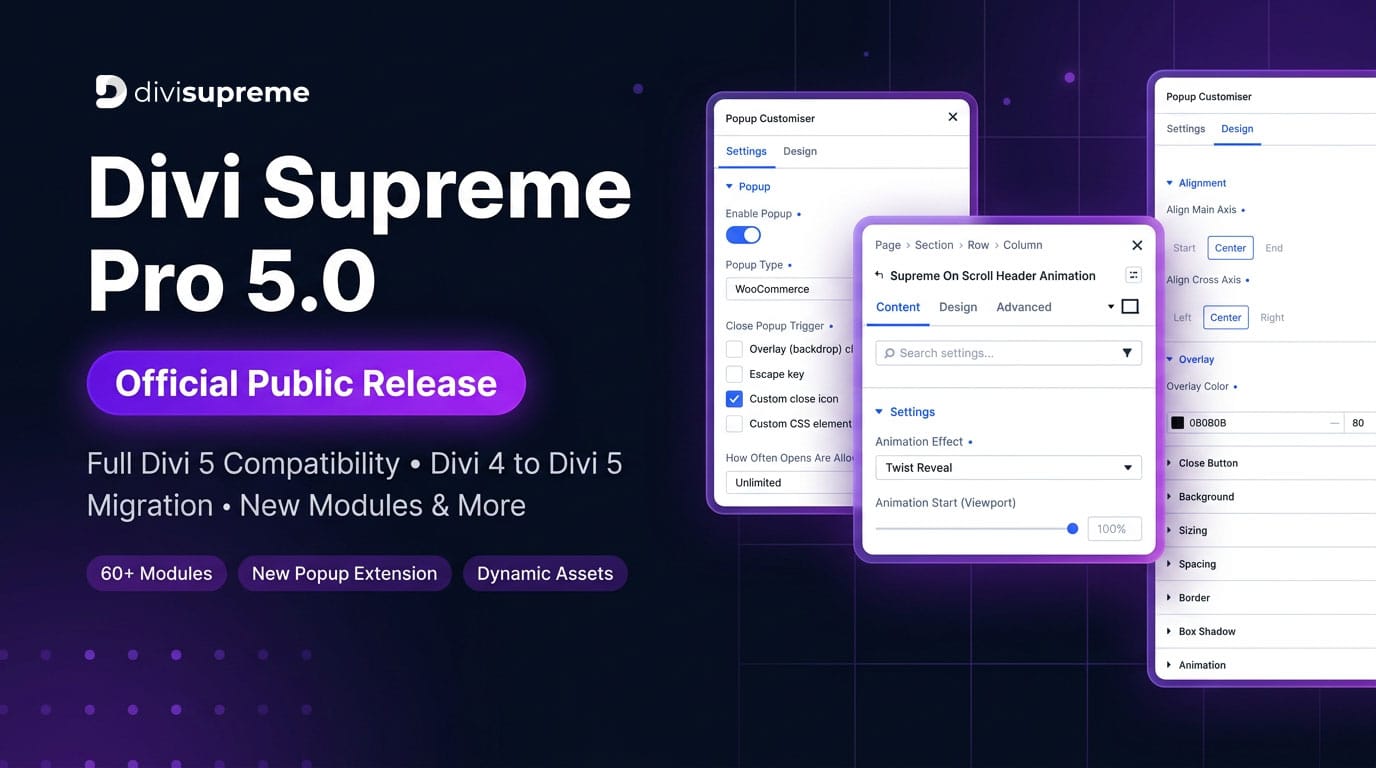
The wait is over. After months of rigorous beta testing, community feedback, and relentless development, we are thrilled to officially announce the public release of Divi Supreme Pro 5.0 – Fully compatible with Divi 5 and ready for production websites everywhere.
This is a massive milestone for the Divi Supreme community, and we couldn’t be more excited to share it with you.
What Is Divi Supreme Pro 5.0?
Divi Supreme Pro is the most powerful module and extension pack for the Divi Builder. With version 5.0, we’ve completely rebuilt and re-engineered the plugin from the ground up to be fully native to Divi 5, While still maintaining full backward compatibility with Divi 4.
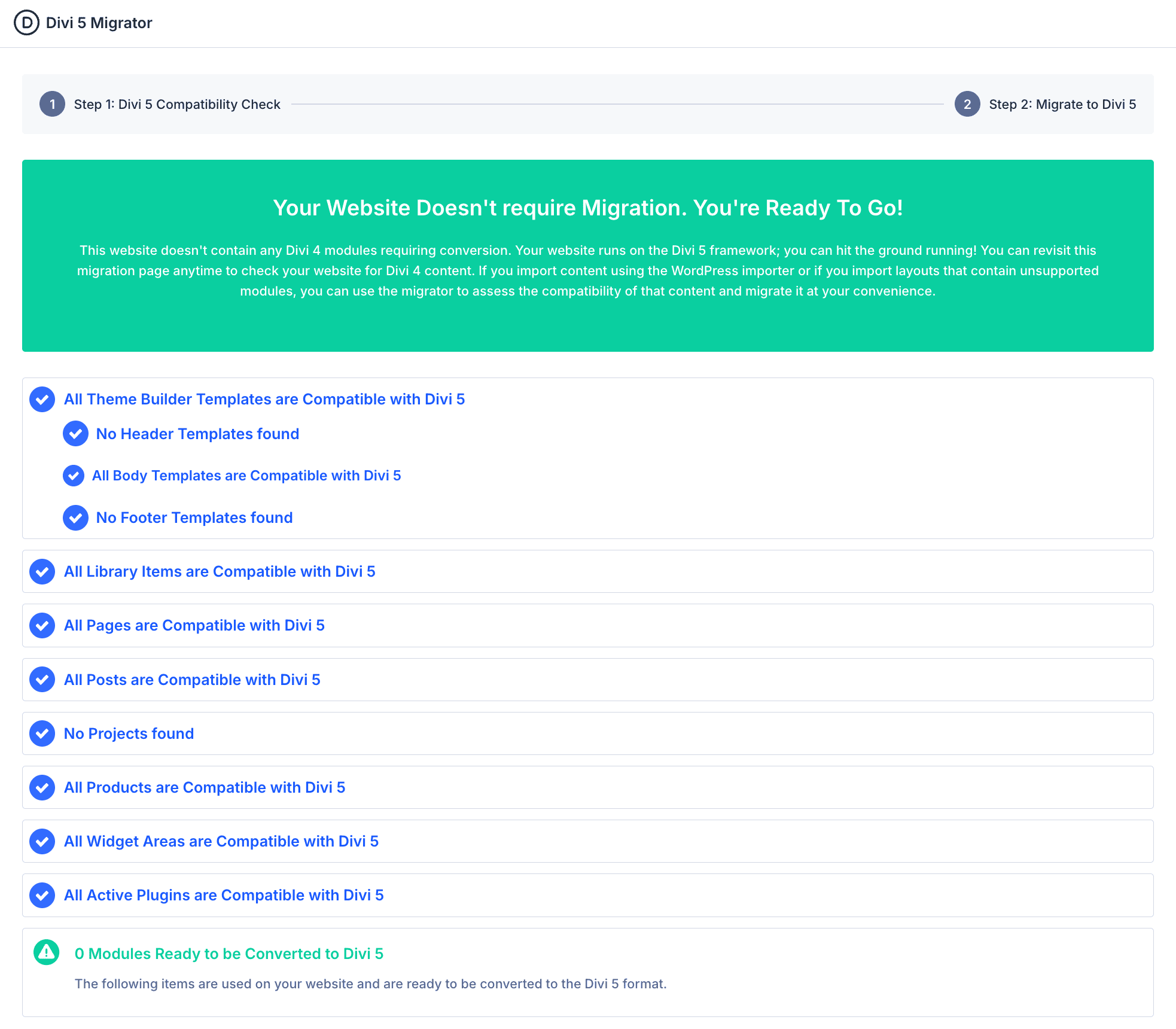
That means whether you’re already running Divi 5 or still on Divi 4, you can update Divi Supreme Pro today without any worries. No breaking changes. No forced migrations. Just a better, faster, more powerful plugin.
Full Divi 4 to Divi 5 Migration – It’s Done!
One of the most asked questions throughout our beta period was: “Will my existing Divi 4 content break when I migrate to Divi 5?”
The answer is a resounding no.
All Divi Supreme Pro modules from Divi 4 are now fully compatible with Divi 5. We’ve spent a significant portion of the beta cycle — from beta.18 all the way through beta.32 — ensuring that every single module migrates cleanly, accurately, and without data loss.
Here’s a snapshot of the migration work we completed during the beta:
-
Icon List module — Fixed Border Radius and URL link settings not migrating correctly (beta.24)
-
Custom Attributes Extension — Now migrates properly from Divi 4 to Divi 5 (beta.26)
-
Image Carousel — Fixed images appearing larger than expected, now matching original Divi 4 behavior (beta.24)
-
Divi 4 folder — Updated to include the latest production version of Divi Supreme Pro 4 for safe rollback (beta.31)
Whether you’re migrating a small blog or a large client website, Divi Supreme Pro 5.0 has your back.
What’s New in Divi Supreme Pro 5.0
Brand New Divi 5 Modules
We didn’t just migrate the old — we built something new. Divi Supreme Pro 5.0 introduces a fresh set of native Divi 5 modules designed to take full advantage of Divi 5’s modern architecture:
- Animated Headlines – Eye-catching animated text effects for hero sections and headings
- Line Hover – Stylish hover line effects for links and navigation elements
- On Scroll Header Animation – Trigger beautiful header animations as users scroll down the page
- Table of Contents – Help readers navigate long-form content with an auto-generated TOC
- Stacking Card – Create stunning stacked card layouts with smooth scroll interactions
- Read More Wrapper – A smarter, more natural way to hide and reveal content in Divi 5
And more are coming soon. We have a packed roadmap ahead, including new features and improvements, and much more.
Accessibility-First: Building Modules the Right Way
As we rebuilt and introduced modules for Divi 5, we made a deliberate commitment to accessibility as a core standard — not an afterthought.
Every new Divi 5 module in Divi Supreme Pro 5.0 has been built with accessibility best practices in mind. This includes proper semantic HTML structure, keyboard navigability, ARIA attributes where needed, and focus management — ensuring your Divi websites are usable and inclusive for all visitors, including those using assistive technologies like screen readers.
But we didn’t stop at new modules. We also went back and improved accessibility across existing modules throughout the beta cycle — refining markup, fixing focus states, and ensuring interactive elements behave correctly for keyboard and screen reader users.
This is an ongoing commitment. With every release, we continue to audit, improve, and raise the accessibility bar across the entire Divi Supreme Pro module library. Building beautiful websites shouldn’t come at the cost of inclusivity — and with Divi Supreme Pro 5.0, you don’t have to choose.
Completely Rebuilt Divi Supreme Popup Extension
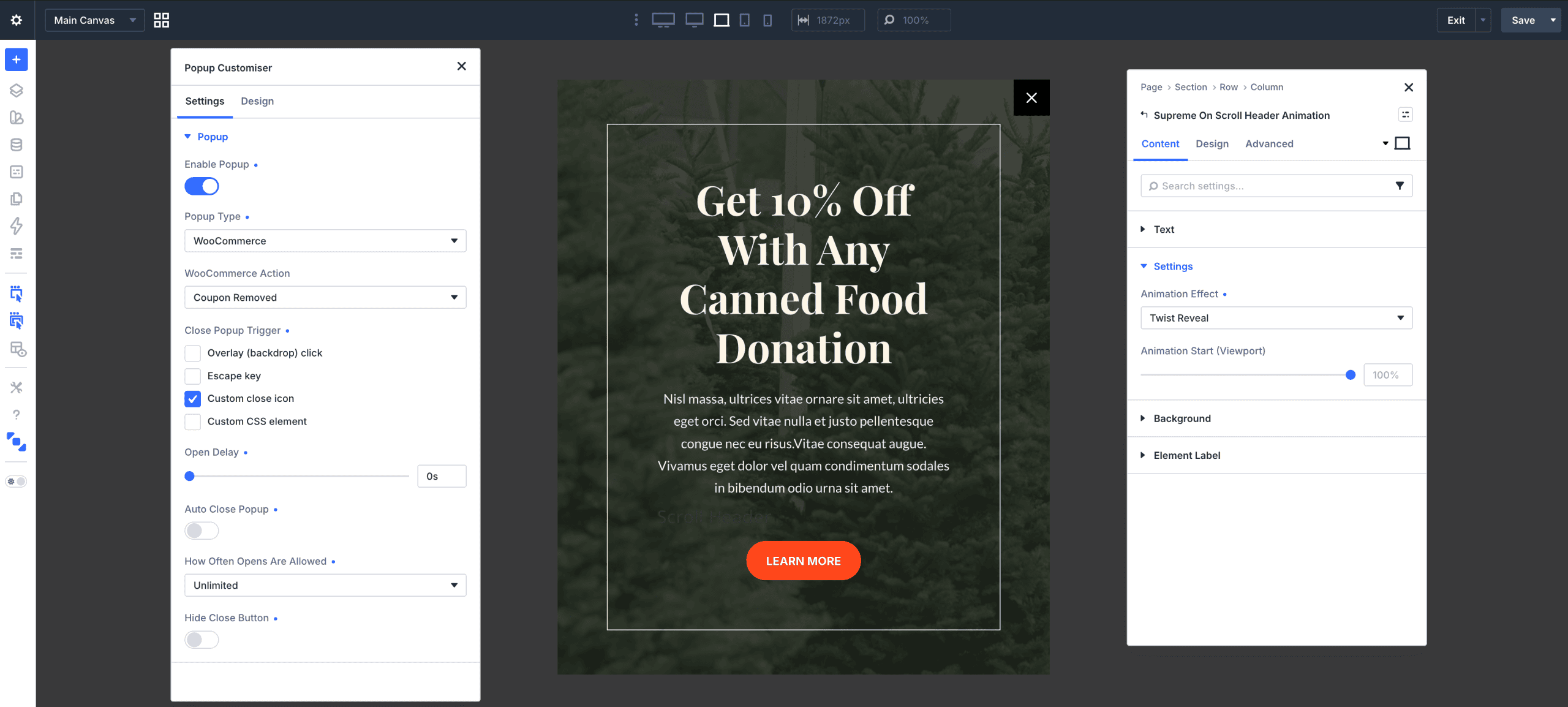
The Popup Extension has been completely overhauled for Divi 5. This isn’t just a migration — it’s a full rebuild with powerful new capabilities:
-
Popup display frequency controls — Set popups to show unlimited times, once per session, once per day, once per week, or once per month (beta.23)
-
Multiple close trigger types — ESC key, overlay click, custom close icon, or CSS class (beta.23)
-
Responsive Helper icon across all popup options for easier mobile configuration (beta.23)
-
Improved Popup Customizer UI for a smoother, more intuitive setup experience (beta.23)
-
WooCommerce compatibility — Popups now load correctly on Single Product pages, Product Category pages, archive pages, and the WooCommerce shop page (beta.23, beta.24, beta.25)
-
Popup Library now loads only on relevant WooCommerce pages based on the selected trigger — no unnecessary script loading (beta.26)
Better Performance — Dynamic Asset Loading
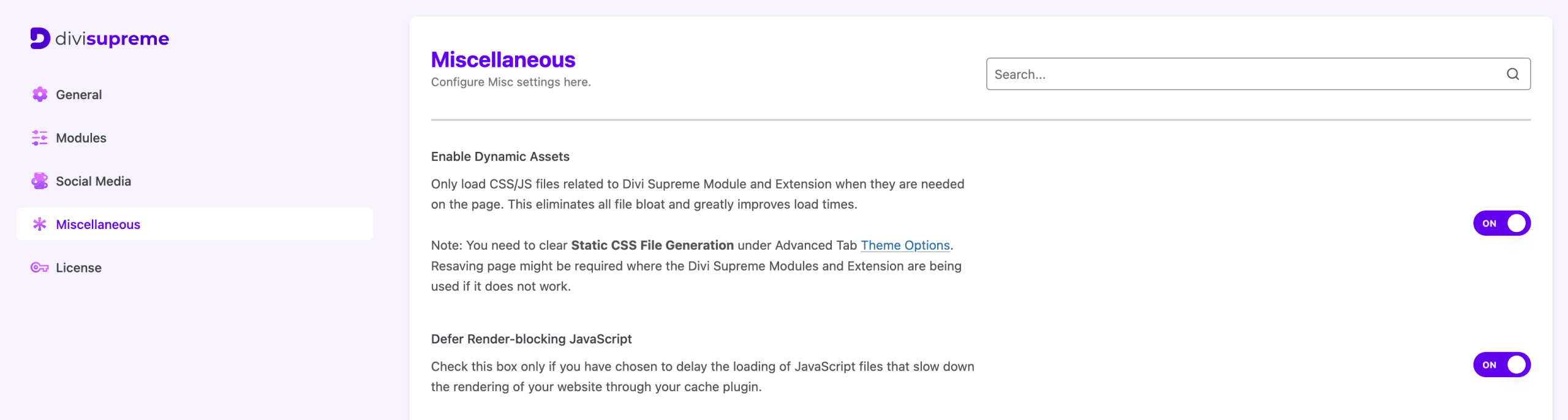
Performance has always been a priority, and Divi Supreme Pro 5.0 takes it to the next level:
-
Each module now loads its own dedicated CSS file on the frontend — only the styles you actually use are loaded (beta.26)
-
Dynamic CSS/JS loading options across all modules and extensions — no more bloated pages (beta.26)
-
Defer render-blocking JavaScript option for all modules and extensions (beta.26)
-
Switched to Divi’s built-in Magnific Popup library, removing duplicate scripts and reducing page weight (beta.26)
-
Replaced
uniqid()with stable versioning for more consistent and reliable asset handling (beta.31) -
Reduced core plugin size by extracting asset registration into separate, dedicated classes (beta.31)
-
Fixed module and extension styles not loading on the frontend when Dynamic Assets Mode is enabled (beta.29)
The result? Faster page loads, better Core Web Vitals scores, and a leaner Divi experience overall.
New Divi Supreme Admin Settings Experience
Say hello to the brand new Divi Supreme Pro Admin Settings Page — a clean, centralized hub for managing all your plugin settings in one place (beta.26).
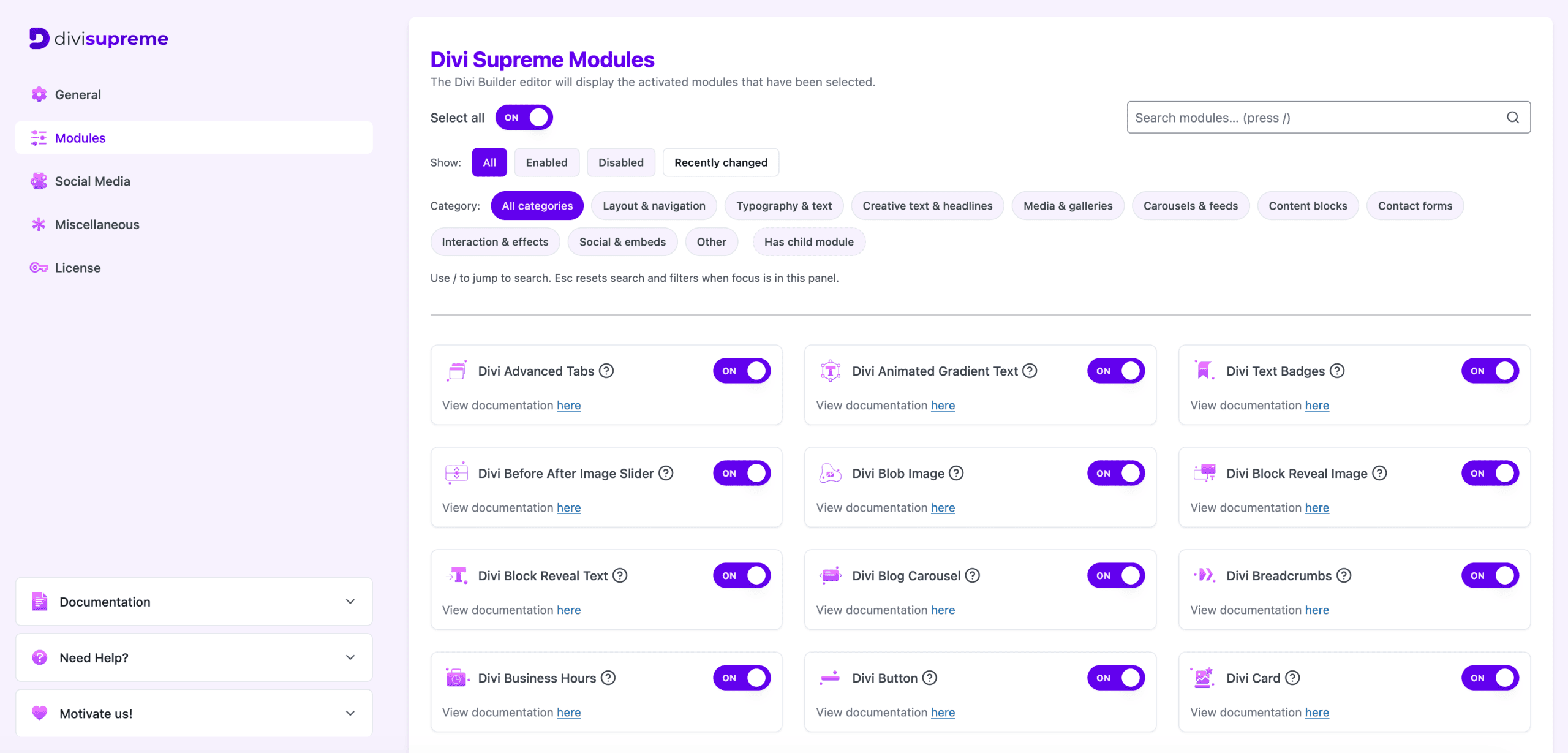
Additional admin improvements include:
-
License key expiry date now displayed directly in the settings page (beta.28)
-
License key auto-deactivates when the plugin is deactivated — no more manual cleanup (beta.28)
-
Quick Settings link added to the plugin action links on the WordPress Plugins page for faster access (beta.28)
-
Remove Data on Uninstall option to fully clean all plugin data when uninstalling (beta.26)
Native WordPress Beta Updates Support
For users who love living on the cutting edge, Divi Supreme Pro 5.0 introduces native WordPress beta updates support (beta.27).
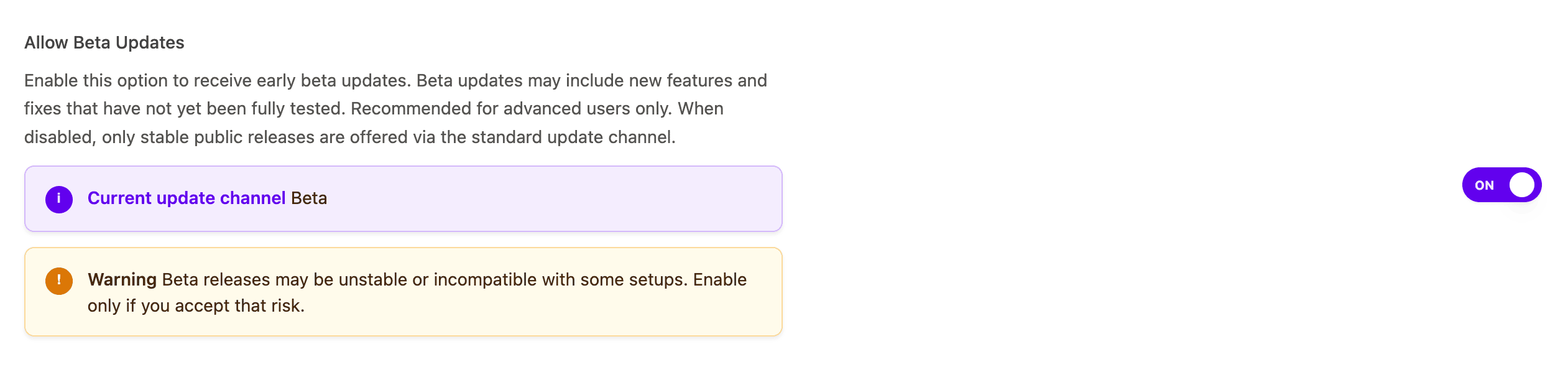
Valid license holders can now receive beta updates directly through the WordPress Updates screen — no more manual downloads, no more FTP uploads, no more reinstalls.
Simply enable Beta Updates inside your Divi Supreme Pro settings and you’ll be the first to receive new features, improvements, and fixes as soon as they’re ready.
⚠️ Important: Beta updates are recommended for testing and staging environments only. For live or high-traffic websites, we always recommend keeping regular backups before updating.
New Extensions & Features
-
Divi Library Widget Extension — Embed any Divi Library layout directly into a WordPress widget area (learn more) (beta.26)
-
DotLottie (.lottie) file upload support — Use the latest Lottie animation format directly in your Divi modules (beta.26)
-
Dynamic Content support for Button Text and Button URL in the Flipbox module (beta.23)
-
WPML compatibility — Updated
wpml-config.xmlfor full Divi 5 multilingual support (beta.31) -
Improved JSON and SVG upload permissions with tighter security controls (beta.26)
Continuous Improvements & Bug Fixes Along the Way
Building for Divi 5 wasn’t just about shipping new things — it was about getting everything right. Throughout the entire beta cycle, we continuously improved the editing experience, refined module behavior, and fixed issues as they were discovered by our community.
Here’s a look at the stability and quality-of-life improvements we made along the way:
Builder & Editing Experience
-
Improved overall plugin architecture for better performance and maintainability (beta.31)
-
Enhanced the editing experience across all Supreme modules for a smoother Divi 5 builder workflow
-
Fixed Reset button conflict causing other options to reset unexpectedly (beta.23)
-
Fixed Divi Supreme Pro admin settings page not showing the correct scrollbar on scrollable elements (beta.30)
Module-Specific Fixes
-
Fixed Dual Heading text alignment not displaying correctly on the frontend (beta.31)
-
Fixed Divi Mask Text double wrapping on the header (beta.26)
-
Fixed Stretch Image option not showing in Divi Card and Divi Card Carousel modules (beta.26)
-
Fixed missing Icon Border options in Divi Card and Divi Card Carousel modules (beta.26)
-
Fixed Icon List items clipping at the top of the module in Firefox (beta.24)
-
Fixed Image Carousel images appearing larger than expected (beta.24)
Plugin & System Fixes
-
Fixed breakpoints error when using popups with child themes causing a critical error (beta.31)
-
Fixed Supreme Facebook script being registered twice (beta.31)
-
Fixed wrong text domain used across the plugin (beta.31)
-
Fixed module and extension styles not loading on the frontend when Dynamic Assets Mode is enabled (beta.29)
-
Fixed Popup styles not rendering correctly across archive, WooCommerce, and Theme Builder pages (beta.23, beta.25)
Every fix, no matter how small, was a step toward making Divi Supreme Pro 5.0 the most stable and polished version we’ve ever shipped.
The Read More Wrapper — A Smarter Approach
We’ve also transformed the old Read More Extension into the brand new Read More Wrapper Module.
This isn’t just a rename. The Read More Wrapper is redesigned from scratch to work more naturally within Divi 5’s module-based workflow — similar to how Divi’s own Group module works. You can now wrap any combination of Divi modules inside the Read More Wrapper and control exactly what’s visible and what’s hidden, giving you far more flexibility and creative control than ever before.
What’s Coming Next
Divi Supreme Pro 5.0 is just the beginning. Here’s a glimpse of what’s on the roadmap:
- More new Divi 5 native modules
-
Continued accessibility improvements across all modules
-
Continued performance and compatibility improvements
We’re committed to shipping updates faster than ever, and with beta updates now supported, you’ll always be among the first to get them.
Thank You to Our Beta Community
From beta.18 to beta.32 — 14 beta releases packed with features, fixes, and improvements — none of this would have been possible without the incredible Divi Supreme community.
To everyone who installed the betas, reported bugs, submitted feedback, and shared ideas: thank you. You shaped this release in ways that matter, and we are genuinely grateful for every single one of you.
Ready to Upgrade?
Divi Supreme Pro 5.0 is available now for all active license holders. Simply update through your WordPress dashboard.
These are just a few of the many improvements, your feedback is making Divi Supreme Pro for Divi 5 stronger every day. If you spot something, report it here!
Stay tuned for more updates, and please don’t hesitate to reach out if you have any questions or need assistance with anything related to Divi Supreme or Divi 5.
Best Regards,
Ken and the Divi Supreme Team
If you have an active or secured license for Divi Supreme plugins, rest assured it remains compatible with Divi 5. Due to ongoing development for Divi 5 compatibility, we will be adjusting our pricing.
How to access all Divi Supreme Modules
To access Divi Supreme Modules, you need to purchase the Pro version of our plugin. The Professional plan come with a 30% discount on renewals while we also offer you premium support and free updates during the licensing period.
Our goal is to assist you to create beautiful and effective business websites without impacting negatively on user experience.
So, give Divi Supreme Pro a try today, and don’t forget to share your experience with the Divi Supreme Plugins in the comments section below.
Or try out the Divi Supreme Lite
Divi Supreme Lite Offers 20+ Modules and 3 Beautiful Extensions and using them you can easily extend your site’s functionality.
0 Comments