

🎨 Masks & Patterns for Divi: 157 Fresh Background Designs, Right Inside Divi 5
Hello Divi enthusiasts, Ken from Divi Supreme!
If you’ve built with Divi 5, you’ve already met its background masks and patterns — and, a few clicks later, probably bumped into their limits. There’s a small handful of each. They’re fine. But once you’ve used the same wave divider and the same dotted texture across a couple of projects, everything starts to look a little… familiar.
We wanted more. A lot more. So we built it.
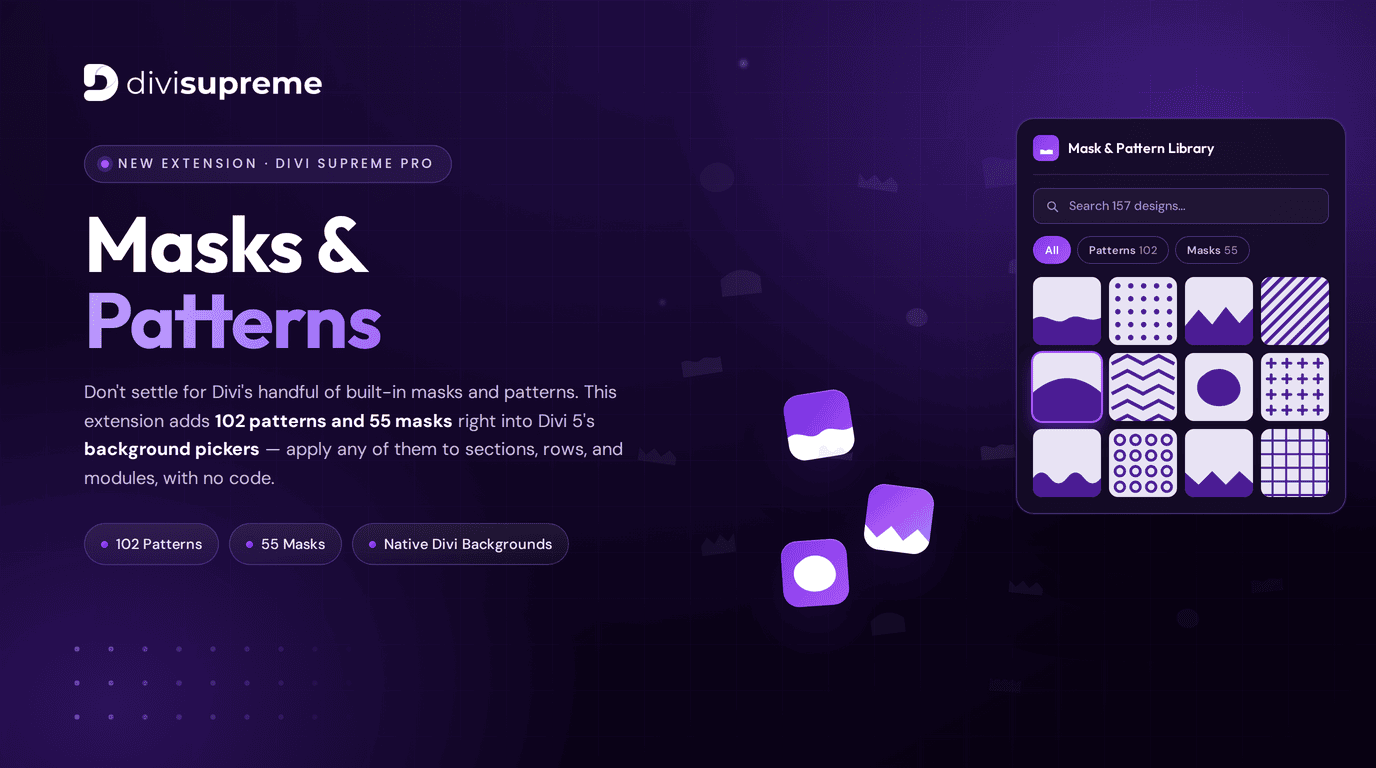
Say hello to the brand new Mask & Pattern Extension, now available in Divi Supreme Pro 5.0.34. It adds 102 patterns and 55 masks — 157 designs in total — straight into Divi 5’s own background pickers, ready to apply to any section, row, or module. No code, no image files to upload, no fuss.
What Is the Mask & Pattern Extension?
Divi 5 gave background masks and patterns a proper home in the builder — but only stocked it with a few designs. This extension fills that library out with 157 professionally designed masks and patterns, so you finally have real variety to work with.
And here’s the part I love: they live exactly where Divi’s built-in ones do. There’s no separate panel, no new workflow, nothing extra to learn. You open the same background picker you already use, and now there are dozens more options waiting inside.
Masks vs Patterns — What’s the Difference?
Quick refresher, since they do two very different jobs:
- Patterns are repeating decorative textures — dots, stripes, grids, chevrons, waves — that sit behind your content and add visual interest, subtle or bold.
- Masks shape the silhouette of your background, carving the edge of a section into a wave, a slope, a curve, or a bold organic shape — so your blocks flow into one another instead of stacking up as flat rectangles.
Reach for a pattern when you want texture, a mask when you want shape. Or layer both and really have some fun.
157 Designs, All in One Searchable Library
The whole collection breaks down like this:


- 102 patterns — from clean dots and grids to zig-zags, stripes, and waves.
- 55 masks — flowing edges, slopes, curves, and statement shapes.
Everything lives in one tidy library with a search box, so you’re never scrolling endlessly. Filter by All, Patterns, or Masks, type what you’re picturing, and pick the design that fits.
They Live Right Inside Divi’s Native Background Pickers
This is what makes it feel effortless. The masks and patterns aren’t tucked away somewhere new — they show up directly in Divi 5’s background settings, right alongside the defaults.

That means you can apply any of them to sections, rows, and modules exactly the way you always have. Same picker, same controls, same muscle memory — just a whole lot more to choose from. If you already know how to set a background in Divi, you already know how to use this.
How to Enable the Mask & Pattern Extension

Setup takes seconds:
- In your WordPress dashboard, go to Divi Supreme Pro → Extensions.
- Find the Mask & Pattern Library, switch its toggle to ON, and click Save changes.
That’s it. The new designs appear automatically inside Divi 5’s background pickers — nothing else to configure.
Why It Beats Divi’s Built-In Masks and Patterns
Here’s the honest case for it.
Divi 5’s native set is a nice start, but it’s small — and small means repetitive. Sooner or later every site you build starts reaching for the same few options, and your work begins to blend together. Your only real alternatives have been fiddly: exporting custom SVG shapes, hand-writing clip-path CSS, or dropping in background images that bloat your page and never scale cleanly.
The Mask & Pattern Extension solves all of that in one go:
- 157 designs instead of a handful — genuine variety, so no two projects have to look alike.
- Native integration, not a bolt-on. They appear in Divi 5’s real background pickers, so there’s zero learning curve.
- Works on sections, rows, and any modules — apply them anywhere Divi lets you set a background.
- No code, no SVG wrangling, no uploads. Pick from the library and you’re done.
- Clean and lightweight, because these are built into the picker rather than stuffed in as heavy images.
The difference is simple: instead of settling for what’s there, you design with exactly the shape and texture you had in mind.
Why It’s Worth It
If you build with Divi regularly, variety is quietly one of your most valuable assets. It’s the difference between sites that all feel a bit samey and sites that each have their own character. This extension hands you that variety on every build — 157 ready-to-use designs sitting right where you work, included as part of Divi Supreme Pro.
Compared to buying pattern packs, wrestling with custom SVG masks, or slowing your pages down with background images, having a full mask-and-pattern library baked into Divi’s own picker is a real, everyday upgrade to how you design. You’re not paying for a novelty — you’re removing a limit you’ve probably been working around for a while.
Where to Find It
The Mask & Pattern Extension is live right now in Divi Supreme Pro 5.0.34. Update your plugin from the WordPress dashboard, switch the extension on, and the new designs will be waiting inside your Divi 5 background pickers. Already on Pro? Just update — there’s nothing else to install.
Go Design Something That Stands Out
I think this one’s going to change how your backgrounds look for good. No more reusing the same three shapes, no more clip-path headaches — just 157 beautiful masks and patterns, right where you need them.
Update to Divi Supreme Pro 5.0.34, open any background picker, and start exploring. I’d love to see what you create.
These are just a few of the many improvements — your feedback is making Divi Supreme Pro for Divi 5 stronger every day. If you spot something, report it here!
Stay tuned for more updates, and please don’t hesitate to reach out if you have any questions or need assistance with anything related to Divi Supreme or Divi 5.
Best Regards,
Ken and the Divi Supreme Team
If you have an active or secured license for Divi Supreme plugins, rest assured it remains compatible with Divi 5. Due to ongoing development for Divi 5 compatibility, we will be adjusting our pricing.
How to access all Divi Supreme Modules
To access Divi Supreme Modules, you need to purchase the Pro version of our plugin. The Professional plan come with a 30% discount on renewals while we also offer you premium support and free updates during the licensing period.
Our goal is to assist you to create beautiful and effective business websites without impacting negatively on user experience.
So, give Divi Supreme Pro a try today, and don’t forget to share your experience with the Divi Supreme Plugins in the comments section below.
Or try out the Divi Supreme Lite
Divi Supreme Lite Offers 20+ Modules and 3 Beautiful Extensions and using them you can easily extend your site’s functionality.
0 Comments